 WorkoutLog Pro
Log workouts by talking to your AI
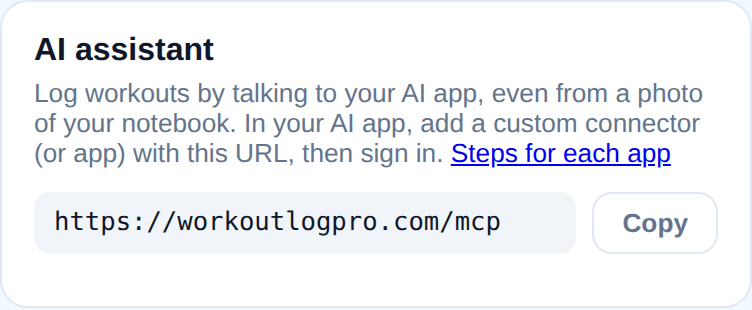
Connect WorkoutLog Pro to Claude or ChatGPT. Tell it what you trained, or show it a photo of your notebook or the gym whiteboard, and it logs every set in one go. Unclear sets are flagged so you can refine them later, it learns your nicknames for exercises, and it can put today's plan on your dashboard.
Connector URL
https://workoutlogpro.com/mcpConnect
Claude
- Open Customize → Connectors (or Settings → Connectors) and choose Add custom connector.
- Paste
https://workoutlogpro.com/mcpand click Connect. Leave the OAuth fields empty. - Sign in with Google on the WorkoutLog Pro screen (this creates your account if you don't have one) and click Allow.
ChatGPT
- Open Settings → Apps & Connectors → Advanced settings and turn on Developer mode.
- Choose Create, paste the URL, and pick OAuth authentication.
- Sign in on the WorkoutLog Pro screen and click Allow.
You choose what the AI app can do: read your log, or read and write it. Disconnect any time in the app under Settings → AI assistant.
What it looks like
Log a workout from a photo of your notebook
📷 photo of a notebook page — Log this for yesterday.
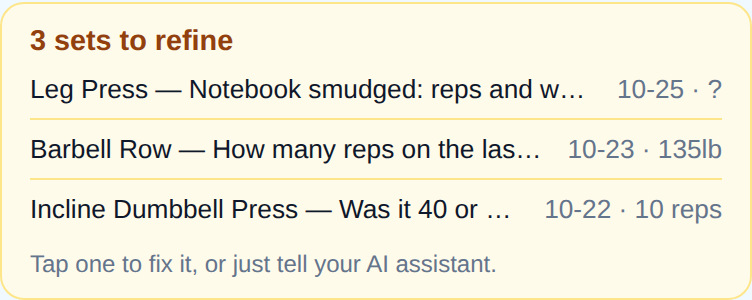
Logged Thursday's workout: 6 exercises, 19 sets, 9,840 lb of volume. Two sets are unclear, so I flagged them to refine: how many reps was the last set of rows, and was “inc DB” 40 or 45 per hand?
Tools: lookup (nicknames, one call), log_workout (19 sets, one call)
Plan today's session
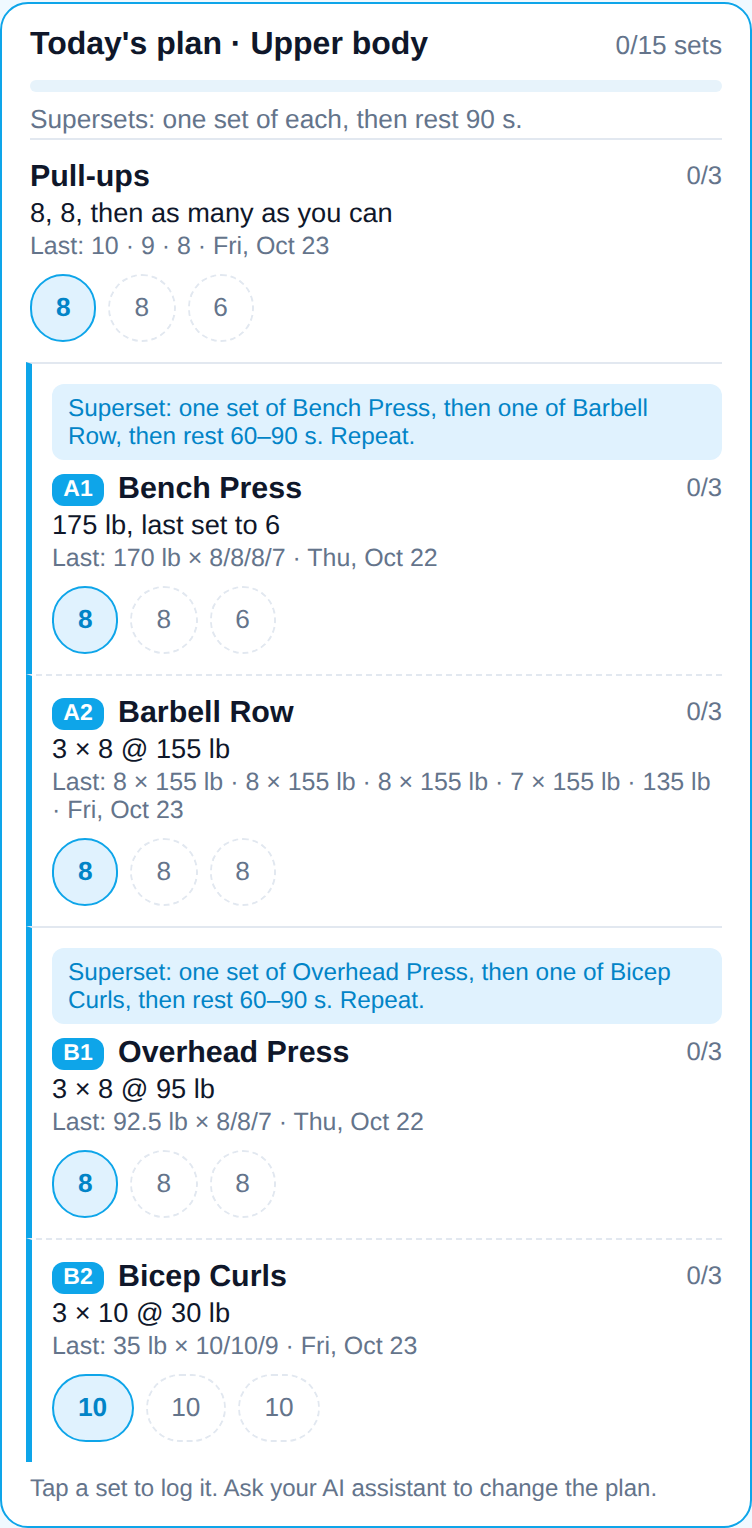
Plan an upper-body day for today, starting with pull-ups. Superset the rest.
Saved today's plan: pull-ups 3 sets, then chest press with rows (A1/A2), RDL with side plank (B1/B2) and curls with triceps (C1/C2). The targets come from your last sessions. It's on your dashboard; tap a set to log it.
Tools: get_plan_context, set_plan
Ask about your progress
How's my squat going this month?
You squatted 6 times in October, up from 4 in September. Your top set went from 185 × 5 to 205 × 5, and your estimated one-rep max is 239 lb, a new record.
Tools: get_history, get_prs
In the app
Tools
Every tool acts only on the signed-in user's training log. Read tools never change anything; tools marked destructive can overwrite or delete data and ask the AI app to confirm with you.
| Tool | What it does | Parameters | Type |
|---|---|---|---|
get_entries_to_refineGet sets to refine | List sets still flagged needs_detail (placeholders logged earlier), newest day first, over the last `days` days (default 30, max 365), with set ids and notes. | days? | Read |
get_historyGet exercise history | History of one exercise (name, nickname or exercise_id): its last `limit` sessions (default 10, max 100), newest first, with every set, the top set and the session volume. | exercise, limit? | Read |
get_planGet workout plan | One day's plan (default today): title, note, version, and per exercise the targets, the sets logged so far that day (done), and the last session before it; planned_sets and done_sets totals. | date? | Read |
get_plan_contextGet plan context | For several exercises at once (names, nicknames or ids, max 30): the last session's sets and date, sessions logged, heaviest set and best estimated 1RM, in the user's unit. | exercises | Read |
get_prsGet personal records | Personal records per exercise: heaviest set, best estimated 1RM (Epley, sets of 12 reps or fewer), best session volume, most reps in a set, longest duration and distance, in the user's unit. | exercises? | Read |
get_rangeGet date range | Summarise training between two dates (inclusive, max 366 days): each workout day with its name, exercises, sets and volume; days trained, average workouts per week, total sets and volume, and the most-trained exercises. | start, end | Read |
get_workoutGet workout | Get one day's workout: name, note, and every exercise with its sets (set ids, reps, weight + unit, band, duration_s, distance, side, rpe, note, needs_detail), total sets, volume and how many sets need detail. | date? | Read |
lookupLook up exercises | Resolve exercise names: one term or a list (e.g. | query | Read |
delete_planDelete workout plan | Remove one day's plan. | date | Write · destructive |
delete_setsDelete sets | Delete logged sets by id, several at once (max 200). | ids | Write · destructive |
delete_workoutDelete workout | Delete one day's whole workout: every set, its name and note, and the per-exercise notes for that date. | date | Write · destructive |
log_workoutLog workout | Log a workout: a whole session, a notebook page, or just the sets done since an earlier log (they're added to that day's workout). | exercises, date?, name?, note? | Write |
save_exerciseSave exercise | Create a custom exercise, or edit one of the user's exercises (with exercise_id; only the fields given change), e.g. | name?, exercise_id?, aliases?, type?, weighted?, bilateral?, per_hand?, icon?, hidden? | Write · destructive |
set_planSet workout plan | Write the plan for one day's workout; the user sees it in the app as a checklist and logs each set by tapping it. | exercises, date?, title?, note? | Write · destructive |
submit_feedbackSend feedback | Send the WorkoutLog Pro developers a feature request or problem report: something the user wanted that these tools can't do, or an error. | text, category? | Write |
update_setsUpdate sets | Refine or fix logged sets by id, several at once (max 50, all-or-nothing). | updates | Write · destructive |
Details for developers: /docs/mcp.md.
Privacy and security
- Sign-in is OAuth 2.1 with PKCE. We store only hashes of access tokens; they expire after an hour and refresh tokens after 90 days unused.
- We never receive your conversation, only what the AI sends to these tools.
- Your log is never sold or used for advertising. You can download or delete everything from the app.
Read the privacy policy and terms. Help: support@workoutlogpro.com.